
Blinking Garage Door Opener Light: What the Flashes Mean
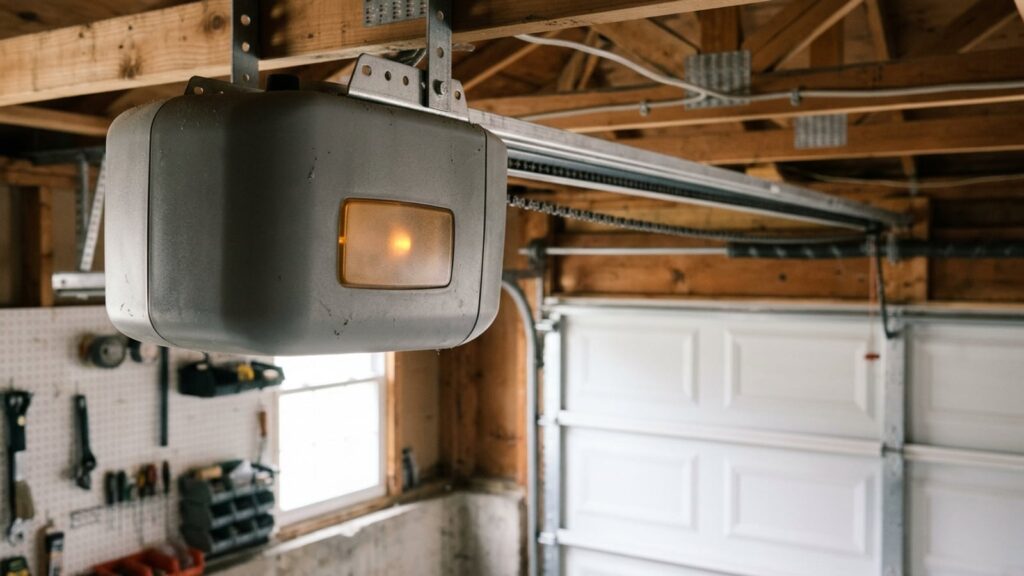
A blinking garage door opener light is usually a message, not a random glitch. Many openers flash a light in a set pattern to report a fault, often with the safety sensors, and the pattern points to the cause. Count the flashes, look the code up in your owner’s manual and you will know whether you are facing a quick fix or a repair.
September is a good month to deal with it, before shorter days and colder weather make a stuck door more of a problem. Codes differ between brands and even between models, so use the examples below as a guide and confirm them in your manual.
What a blinking garage door opener light is telling you
Openers use lights to report what their self-checks find. Genie, one of the major opener brands our technicians service, builds this into its sensors and some of its motor units, and says a series of opener light flashes or small lights on the sensors tells you what the issue could be.
There are usually three places to look: the small lights on the two safety sensors near the floor, a status light on the motor unit, which on some models sits under the light lens, and the main opener light, which may flash when the door refuses to close. Note the color, count the flashes between pauses and write down which light is doing it.
DASMA, which represents door and opener manufacturers, advises hanging the owner’s manuals by the door for easy reference, because every model of door and opener has its own safety instructions. If yours is lost, DASMA suggests requesting a copy from the manufacturer, using the model number on the back of the motor unit.
Reading the safety sensor lights
Start with the sensors, since a sensor fault stops the door from closing. On Genie’s Safe-T-Beam system, both lights glow steadily when all is well, according to Genie’s sensor troubleshooting chart. If both are off, the motor unit has no power or the wiring is bad, so check the plug and the breaker. A steady green light with a red light that blinks twice and pauses means the beam is out of line, blocked or a sensor has failed.
Three blinks on the red light point to interference, such as bright sun shining into a lens. Four blinks mean the sending unit is not sending pulses or has failed, and Genie’s chart says to contact its customer service. Other makers use different colors and counts, so match the pattern to your manual before acting on it.
For a misaligned or blocked beam, clear the path, wipe both lenses and line the sensors up until both lights are steady. Genie notes that its openers will not close the door unless the sensors are installed and working properly.
Motor unit codes: an example from Genie
Status lights on the motor unit report on the rest of the system. Genie’s self-diagnostic chart for its Excelerator openers shows how these codes work: a status light blinks a set number of times, pauses and repeats.
On those models, one or two blinks point to a fault in the motor drive board or the controller board, and Genie’s first step is a reset: unplug the opener, wait five seconds, plug it back in and run it from the wall console. Three blinks mean the opener has overheated or run too many cycles in a row. Genie says not to unplug it, but to wait 10 minutes, since cycles come back at a rate of five per 10-minute rest.
Four blinks flag incorrect force settings, five a sensor fault, six a wall console that does not work, seven a limit switch problem and eight a wall console in lock mode. That last one has an easy fix: slide the vacation lock on the wall console back to unlocked.
Codes you can usually clear yourself
Not every blinking garage door opener light needs a technician. Lock mode only needs the switch moved back, and an overheated opener only needs time, so let it rest instead of pressing the button again and again. A blocked or misaligned sensor needs a clear path, clean lenses and a gentle realignment by hand.
If nothing works at all, plug a lamp into the opener’s outlet. Genie’s troubleshooting chart says that if the lamp lights, the outlet is fine, and if it does not, check the fuse, the circuit breaker or the GFCI outlet.
Codes that point to a repair
Board faults that return after a reset, limit switch codes, wiring faults and a sending sensor that has failed all call for a technician. So do force setting codes. DASMA’s opener safety tips warn that if a door does not reverse readily after meeting an obstruction, its sensitivity may be set wrong, which can be dangerous, and DASMA recommends leaving that adjustment to a trained door systems technician.
Treat a reset as a test, not a cure. If a board code comes back after one reset, or the opener needs resetting again and again, the fault is real and pulling the plug once more will not fix it.
Some codes are really about the door. Genie notes that an improperly balanced door, a damaged or worn spring, or binding hardware or rollers can trigger the one-blink code on its Excelerator models. DASMA calls spring systems dangerous and says only trained professionals should repair them, so a code like that is a reason to book a repair, not to adjust the springs.
Write down the pattern you counted and book an opener repair when a blinking garage door opener light keeps coming back. We fix motors, logic boards, sensors and remotes on all the major opener brands across Cedar Rapids, Iowa City and Marion, whoever installed them.